Outside Computer Links
|
|
|||
|
|
|||
|
Outside Computer Links |
|||
|
|
|
|
Internet Overview: What is the Internet? |
|
|
|
It was not that long ago-say 1990 that few
people had a pc. Now the pc (personal computer) revolution is in full swing!
The main reason is that the Internet became the killer application, or
killer app, which is a program or technical advance that is so necessary and desirable that it
gives value to a larger technology and creates this very technology. |
|
|
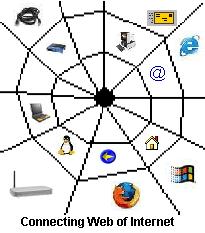
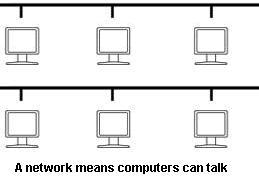
As the word itself suggests,
the Internet is basically a network of networks. In other words, it is the
'inter-connection' of millions of computers. |
|
kind of intelligence that can be
transferred from one computer to another. It is evident by looking at
various Web sites, that multimedia presentations abound in highly impressive
ways. |
|
The Internet is much more than
interconnected computers and, if you use the Internet, you can be less
frustrated if you have some basic idea of the components and protocols (a
set of rules about how to transmit data) of the Internet. |
|
How do you find someone else's house if you've never been there before?-of course, by the address and every computer to get on the Internet has to be given an address. This is the basic protocol of the Internet TCP/IP (which stands for Transmission Control Protocol over Internet Protocol.) Basically the TCP part of this protocol (rule) makes sure that data is transmitted correctly and verifies all that data has arrived at the end of delivery. The IP part is like address part on a letter that allows one computer to find another computer even if it is around the world. Each computer has an IP address which is unique to each computer at |
|
|
any given time on the Internet and is written as 4 groups of numbers separated by periods and there are no more than 3 numbers in each group. The four groups of numbers are called octets because in basic binary form-those 1s and 0s, they add up to 32. Some examples of IP addresses would be 66.94.234.3 or 192.168.15.1 But you don't have to know all of this, just know that your computer has to have an address to be on the Internet. |
|
So once the computers find each other, then what? Understanding TCP/IP is only the beginning. Of course, almost every user thinks of the Internet in terms of sending email and using the World Wide Web. Most people are just concerned with these two basic activities, but if you pull the curtain a bit on the inner workings of the Internet, then you can use the Internet much more effectively and creatively. |
|
|
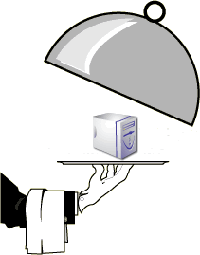
Not all computers have the same function on the Internet. When you get your pc on the Internet whether by a dialup or broadband connection, you are usually connecting as a client. To get your email or a web page, you need to become "wedded" to a server. This is the "dance" of the Internet that keeps the wheels turning. The servers "out there" on the Internet are like the "digital waiters" that bring you email or an interesting web page. These servers are dedicated, high-end computers set up for one or several functions like supplying email, web service, chat, file transfer, news groups or usenet, listservs or mailing lists, a database (organized collection of information), or telnet (to connect to a remote computer like you are a user on that computer) and more. The connected computers need to interact as servers and clients to get anything accomplished. |
|
The Internet has changed over time both with the hardware involved including how the user accesses the Internet, the programs used once one is on the Internet, and the basic ways people get their tasks done on the Internet. At this point in time, the World Wide Web has taken the precedence over past protocols that people use when they log on. For instance, many people use webmail rather than an email client. Multimedia like movies and digital music is accessed through the Web. FTP (file transfer protocol-that is, downloading files) is not as often done by FTP client but through a web page. |
|
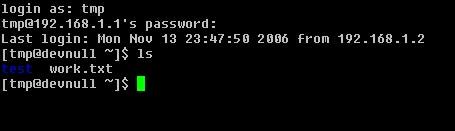
When I first got on the Internet in early 90s, I had to telnet (log on to a remote computer) to a linux machine and I was very excited at the time to be able to gather information from lynx which was the text version of what is the graphic, interactive Web today. I was able to read and post to newsgroups-also just text and perhaps ascii art which is art produced through the characters on a keyboard. I could do email through a very good, intuitive program called Pine-which was also text only. |
|
|
<
Example of a Shell |
|
Some of the early
programs and protocols of the Internet in the past, you have disappeared or
like Archie (searched FTP sites), gophers (beginning
search engines and indexing menus) like Veronica and Jughead. These are all
like ancient history now! |
 |
Getting Online: Dialup and Broadband |
|
|
Getting Online |